🕐 10 min read | 📂 QA Tips | ✍️ Testionix Team
A free broken link checker finds every dead link on your site before it costs you rankings, trust, and visitors. Here is what causes broken links, why they matter for SEO, and two free tools you can run right now with no sign-up.
- What Is a Broken Link Checker?
- Why Broken Links Hurt Your SEO
- 5 Signs Your Website Has Broken Links
- How to Check for Broken Links, Step by Step
- Run a Free Broken Link Checker
- Bonus: Run a Free SEO Audit
- Internal vs External Broken Links
- How Often Should You Check?
- Frequently Asked Questions
- Key Takeaways
What Is a Broken Link Checker?
A broken link, sometimes called a dead link, is any link on your website that no longer leads to a working page. Click it and instead of the page you expect, you get a 404 error, a server timeout, or a redirect to nowhere. It happens for ordinary reasons: a page gets deleted, a URL gets renamed during a redesign, a third-party site you linked to years ago shuts down, or a product goes out of stock and its page disappears.
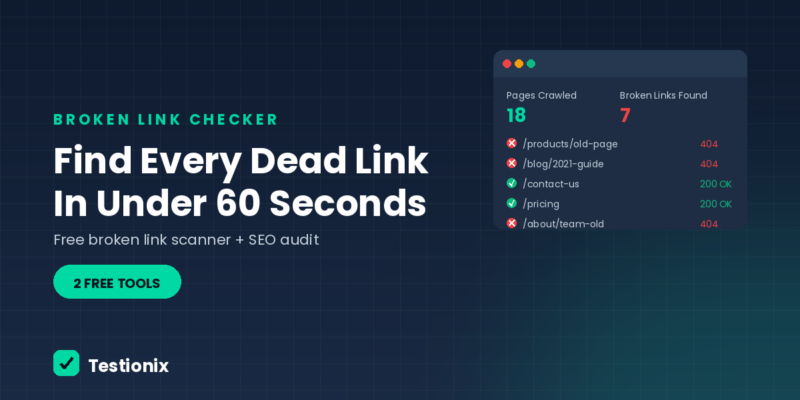
A broken link checker automates the process of finding these. Instead of clicking through every page and every link by hand, a checker crawls your site the way a search engine or a visitor would, tests each link it finds, and reports back exactly which ones are broken, where they are, and what error they returned. What used to take hours of manual clicking takes under a minute.
Why Broken Links Hurt Your SEO
A single broken link will not tank your rankings overnight, but broken links rarely stay single. They accumulate quietly after every redesign, migration, and content cleanup, and each one chips away at three things search engines and visitors both care about.
- Crawl budget: search engine bots spend part of their limited crawl budget hitting dead ends instead of discovering and indexing your real content.
- Link equity: any authority passed through a broken internal link stops there instead of reaching the page it was meant to support.
- User trust: a visitor who hits two or three dead links in a row assumes the whole site is neglected, and leaves.
5 Signs Your Website Has Broken Links
Most site owners do not notice broken links until something else prompts them to look. Watch for these signals:
- Rising 404 reports in Google Search Console under Pages > Not Found.
- A recent redesign, replatform, or URL restructure that was not followed by a redirect audit.
- Old blog posts that link out to other sites, some of which have since gone offline or moved.
- Visitors or customers emailing to say a link on your site does not work.
- A drop in time-on-page or a rise in bounce rate on specific older pages, with no other obvious cause.
Any one of these is a reasonable trigger to run a check. If more than one applies at once, it is worth doing today rather than waiting for the next scheduled audit.
How to Check for Broken Links, Step by Step
You do not need to install anything or learn a new platform to run a basic broken link check. Here is the process:
- Start with your homepage URL. A good checker follows internal links from there, so you do not need to submit every page individually.
- Let the crawler run. It will visit each page it finds, test every link on it, internal and external, and note anything that fails to load.
- Review the report. Look at which links failed, what status code they returned, and which page each one was found on.
- Fix or redirect each one. Update the link if the destination moved, remove it if the content is gone for good, or add a 301 redirect if the old URL should point somewhere new.
Run the free checker below to see this in action on your own site.
Run a Free Broken Link Checker
Paste your homepage URL below. We will crawl up to 25 pages of your site and check every internal and external link we find for a working response, then report back only the ones that are actually broken. No sign-up, no email required.
We'll crawl up to 25 pages of this site (starting from the homepage) and report every link that returns a 404 or fails to load. This can take 20-60 seconds.
Bonus: Run a Free SEO Audit
Broken links are one piece of a bigger picture. While you are checking your site’s technical health, it is worth running a full SEO audit at the same time, covering titles, meta descriptions, headings, alt text, canonical tags, and site-wide foundations like robots.txt and HTTPS.
We will crawl up to 20 pages and check for common SEO and URL issues. This can take 20-40 seconds.
For a complete breakdown of everything a technical audit should cover, see our full website audit guide.
🧰 Prefer both tools on one page?
Our Testing Tools page runs the SEO audit and the broken link checker side by side, so you can test everything in one visit.
Open the Testing Tools Page →Internal vs External Broken Links: What Is the Difference?
Not all broken links are the same problem, and they are not fixed the same way. Here is how the two compare:
| Internal Broken Links | External Broken Links |
|---|---|
| Point to a page on your own site | Point to a page on someone else’s site |
| Usually caused by renaming, deleting, or moving your own pages | Usually caused by the other site restructuring or shutting down |
| You control the fix directly: update the link or add a redirect | You can only update or remove your link, you cannot fix their site |
| Directly wastes your own crawl budget and link equity | Mainly a trust and user-experience issue for your visitors |
| Usually the higher priority to fix first | Worth a periodic sweep, lower urgency than internal links |
How Often Should You Check for Broken Links?
How often you should run a check depends mostly on how frequently your site changes:
- E-commerce or large content sites: monthly, since products and pages get added and removed constantly
- Blogs and marketing sites: quarterly is a reasonable baseline
- Any site, right after a redesign, replatform, or migration: immediately, before and after launch, since this is when broken links are most likely to appear
- Any site that just had a bulk content cleanup: immediately after, to confirm nothing important was deleted without a redirect
Frequently Asked Questions
What is the best free broken link checker?
The best free option is one that checks every link on every crawled page, not just the page titles, and clearly reports the status code for each broken link it finds. The checker on this page does exactly that, for up to 25 pages, with no sign-up required.
Do broken links actually hurt SEO rankings?
Yes, indirectly. Search engines use crawl budget and link signals to understand and rank your site. Broken links waste that crawl budget, interrupt the flow of link equity between pages, and increase the odds a visitor leaves quickly, which are all signals that can affect rankings over time.
How many broken links is too many?
There is no fixed number, but any broken link on a high-traffic page or in your main navigation should be treated as urgent. A handful of broken external links buried in old blog posts is lower priority, though still worth fixing during your next scheduled check.
Can I check for broken links without installing software?
Yes. A browser-based checker like the one on this page runs entirely in your browser and on the server side, so there is nothing to install and no account needed. Paste a URL and get results directly on the page.
What is the difference between a 404 error and a broken link?
A 404 error is what a server returns when a requested page does not exist. A broken link is any link that leads to a 404, or to any other failure such as a timeout or a server error. So a 404 is one common cause of a broken link, but not the only one.
Every broken link on your site was working perfectly the day it was created. The only way to know when that changes is to check, and the only way to check hundreds of links without losing an afternoon is to let a crawler do it for you.Testionix Team, Ahmedabad
Key Takeaways
- ✅ A broken link checker crawls your site and tests every link, flagging any that fail to load
- ✅ Broken links waste crawl budget, interrupt link equity, and damage visitor trust
- ✅ Internal broken links are usually the higher priority since you control the fix directly
- ✅ Check monthly for large or e-commerce sites, quarterly for blogs, and immediately after any redesign or migration
- ✅ Free browser-based tools can run a complete check in under a minute, with no sign-up required
👋 Want a deeper, human-reviewed audit?
Testionix provides manual and automated QA testing for web and mobile apps, functional, performance, and cross-browser testing beyond what any free tool covers.
Talk to Our Team →